Does YNAB Work with Brazilian Banks?
YNAB is beloved by budgeters worldwide for its zero-based approach and powerful reporting. But if you bank in Brazil, you have probably already discovered the frustrating truth: YNAB does not natively support Brazilian banks. No direct import, no automatic sync, no connection to Nubank, Itaú, Bradesco, or any other Brazilian institution. So what do you do?

The Core Problem: YNAB's Banking Partnerships
YNAB's "Direct Import" feature works by connecting to financial institutions through data aggregators like Plaid and MX, services that have partnerships with banks in the United States, Canada, the United Kingdom, and a handful of European countries. Brazilian banks are not on that list.
This is not a YNAB oversight. It reflects how differently Brazilian banking infrastructure works. Brazil has its own regulatory framework for data sharing called Open Finance Brasil, launched in 2021. It is actually more advanced and privacy-protective than many of the aggregation systems used in the US, but it requires different integrations.
What Open Finance Brasil Actually Is
Open Finance Brasil is a mandatory framework overseen by the Banco Central do Brasil that requires participating banks to expose standardised APIs for customer-consented data sharing. As of 2024, all major Brazilian banks (Nubank, Itaú, Bradesco, Santander, Banco do Brasil, Caixa, Inter, C6, and dozens more) participate in Phase 2, which covers transaction data.
This means your transaction history is technically available to share with authorised third-party apps, but only after you explicitly consent through your bank's own interface. No app can scrape or access your data without that consent.
The Solution: Using Manio as a Bridge
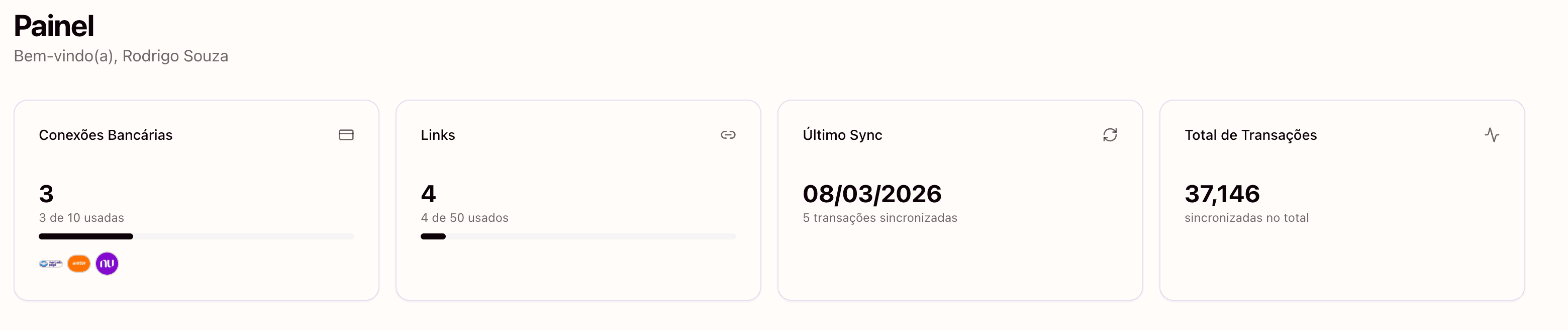
Manio is an authorised Open Finance Brasil participant that reads your Brazilian bank transactions and routes them to destinations like YNAB, Google Sheets, and Notion. It bridges the gap between Brazil's Open Finance APIs and the tools YNAB users already rely on.
With Manio's YNAB integration, you authorise Manio once through your bank's Open Finance consent screen, then connect your YNAB account, and map which bank accounts feed into which YNAB accounts. After that, syncing is fully automatic.
Which Brazilian Banks Are Supported?
Because Manio uses Open Finance Brasil rather than individual bank partnerships, it supports any bank that participates in the framework. This includes:
- Digital banks: Nubank, Inter, C6 Bank, Neon, Next, Mercado Pago
- Traditional banks: Itaú, Bradesco, Santander, Banco do Brasil, Caixa Econômica Federal
- Mid-size banks: BTG Pactual, Sicoob, Sicredi, Banrisul, Sofisa
- New entrants: As new banks join Open Finance Brasil, they become available automatically
What Data Can YNAB Receive from Brazilian Banks?
Manio pulls transaction-level data from Open Finance Brasil and forwards it to YNAB in a format YNAB understands. This includes:
- Transaction amount in BRL
- Transaction date (settlement date)
- Payee name (merchant or counterparty name)
- Transaction type (debit, credit, Pix, TED, boleto payment)
- Account balance (used to reconcile YNAB accounts)
Setting Up YNAB for Brazil
A few configuration tips when using YNAB with Brazilian banks through Manio:
Use BRL as Your Budget Currency
YNAB supports multiple currencies. Creating your budget in BRL avoids confusion and ensures your transaction amounts display correctly without any conversion.
Create Separate Accounts for Each Bank Product
If you have a Nubank conta corrente and a Nubank cartão de crédito, create two separate YNAB accounts, one for each. This mirrors how YNAB handles US checking and credit card accounts.
Set Up Brazilian Budget Categories
YNAB works best when your categories match real spending patterns. For Brazilian users, consider categories like: Aluguel, Condomínio, Supermercado, Transporte, Plano de Saúde, Internet/Telefone, Streaming, and Lazer.
Manual Import vs. Automatic Sync
Before tools like Manio existed, YNAB users in Brazil had to manually export OFX or CSV files from their bank's internet banking portal, then import them into YNAB. This process was tedious, error-prone, and required doing it regularly to keep the budget current.
With automatic sync through the YNAB integration, transactions appear in YNAB automatically, typically within a few hours of clearing your bank account. You open YNAB, approve transactions, assign them to categories, and your budget is done. You can start for free on the Trial plan with 1 bank, daily sync, and 50 syncs included. To connect more banks, get unlimited syncs, or sync every 8 hours, the Pro plan is R$24.99/month (or R$239.88/year).
Security and Privacy
A common concern: is it safe to connect your Brazilian bank account to a third-party app? When done through Open Finance Brasil, yes. The key protections are:
- Your bank password is never shared with Manio. Consent happens on your bank's own screens
- Access is read-only. No app can initiate payments or transfers through Open Finance Phase 2
- You can revoke consent at any time through your bank's app
- Consent expires automatically (typically after 12 months) unless renewed
Want to understand how Open Finance protects your data in detail? Read our guide on Open Finance security.
To see how the sync works with a specific bank, check out our guides for Nubank, Itau, Bradesco, and Inter with YNAB. And if you prefer tracking your finances in a spreadsheet, see how to sync Brazilian bank transactions to Google Sheets. Curious about how manual import compares to the automatic approach? Read our manual vs automatic YNAB import comparison.