How to Sync Bradesco to YNAB Automatically
Bradesco is one of Brazil's "big five" traditional banks, with a customer base that spans decades and a presence in virtually every Brazilian city. If you bank with Bradesco and use YNAB for budgeting, you have probably noticed the two don't talk to each other. YNAB's direct import only covers banks in North America and Europe. This guide walks you through how to bridge that gap using Manio and Brazil's Open Finance framework. No CSV exports, no OFX headaches.

Why YNAB Can't Connect to Bradesco Directly
YNAB relies on data aggregation services like Plaid and MX to pull transactions from banks. These services have partnerships with financial institutions in the United States, Canada, and parts of Europe, but they do not cover Brazilian banks. It is not a YNAB limitation per se; it is a gap in the data aggregation ecosystem.
Brazil solved this problem differently. Since 2021, the Brazilian Central Bank (Banco Central) has mandated Open Finance Brasil, a regulatory framework that requires major banks to expose standardised APIs for customer-consented data sharing. Bradesco is a full participant in this programme, which means your transaction data is available through a secure, official channel.
The Bradesco Data Export Problem
Anyone who has tried to export transaction data from Bradesco's internet banking knows the frustration. The platform is notoriously slow, the login process involves multiple security steps, and the exported files often come with issues: CSV files with broken character encoding (accented characters turn into gibberish), inconsistent date formats, and OFX exports that truncate merchant descriptions.
Bradesco's mobile app, while far more usable for day-to-day banking, does not offer robust data export options either. For YNAB users who need structured transaction data, the manual export route is unreliable and time-consuming.
Open Finance bypasses all of this. The API provides clean, structured data with consistent formatting, with no encoding issues, no truncated fields, and no manual downloads. Want to understand how Open Finance protects your data? Read our guide on Open Finance security.
How to Sync Bradesco to YNAB with Manio
Manio is an authorised participant in Open Finance Brasil. It connects to Bradesco through the official API, reads your transactions with your consent, and pushes them to YNAB automatically. The setup takes about ten minutes.
Step 1: Connect Bradesco via Open Finance
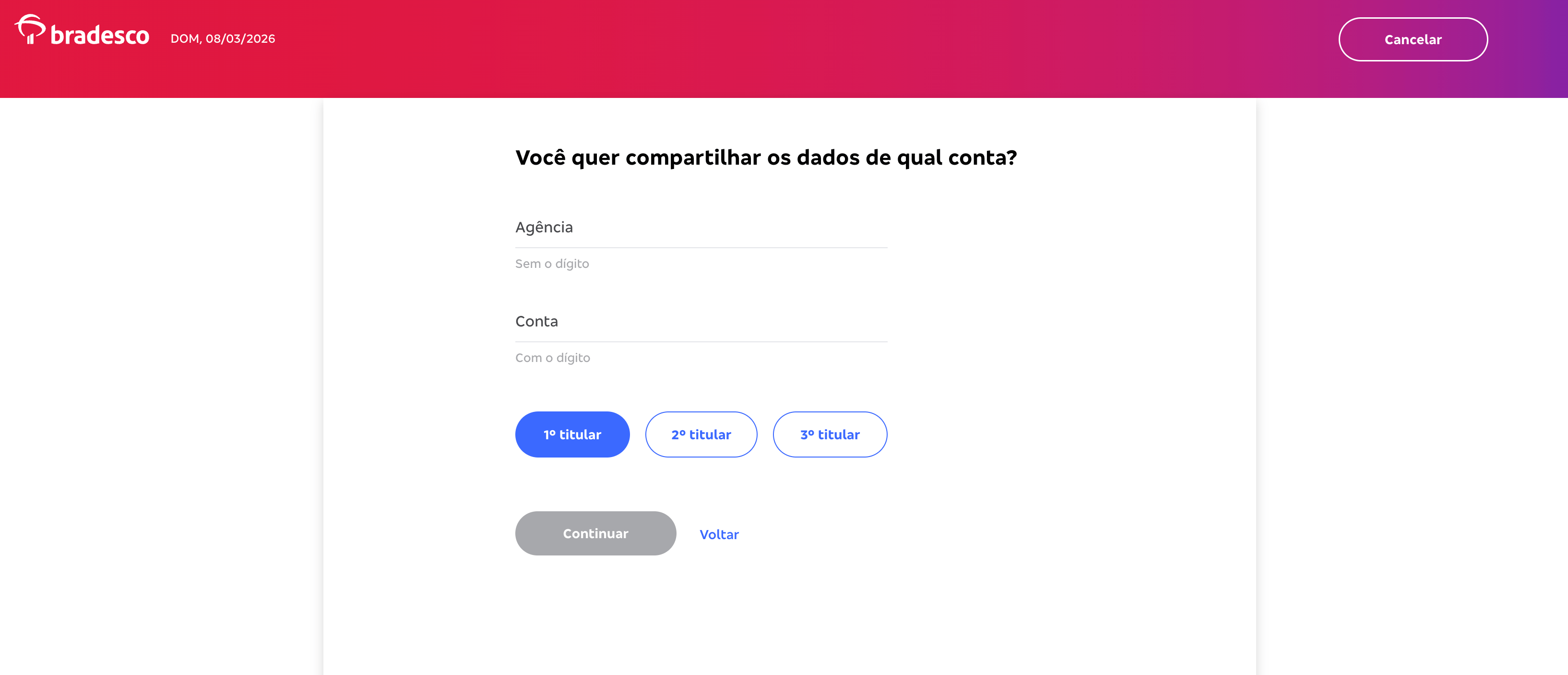
In the Manio dashboard, go to "Bank Connections" and select Bradesco. You will be redirected to Bradesco's official Open Finance consent screen, where you log in with your normal Bradesco credentials on Bradesco's own servers. Manio never sees your password.
On the consent screen, you choose which accounts to share: checking account (conta corrente), savings (poupança), credit cards, or all of them. Bradesco issues credit cards across multiple networks (Visa, Mastercard, Elo, and American Express), and all are available through Open Finance.
Step 2: Authorise YNAB
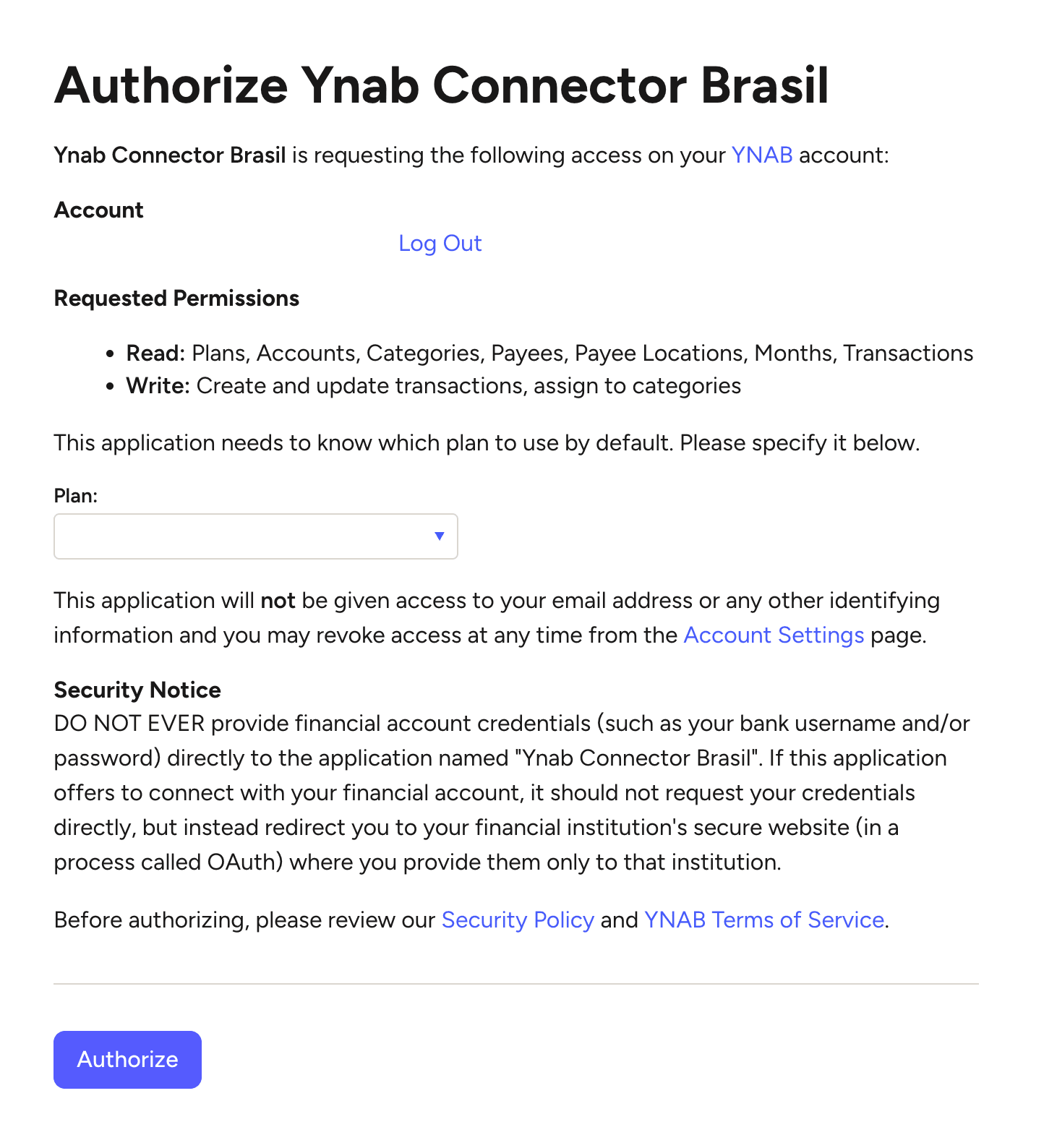
Go to "Destinations" and connect YNAB via Manio's YNAB integration. This uses YNAB's official OAuth flow. You log in on YNAB's servers, grant Manio access to your budgets and accounts, and no YNAB credentials are shared with Manio.
Step 3: Map Accounts
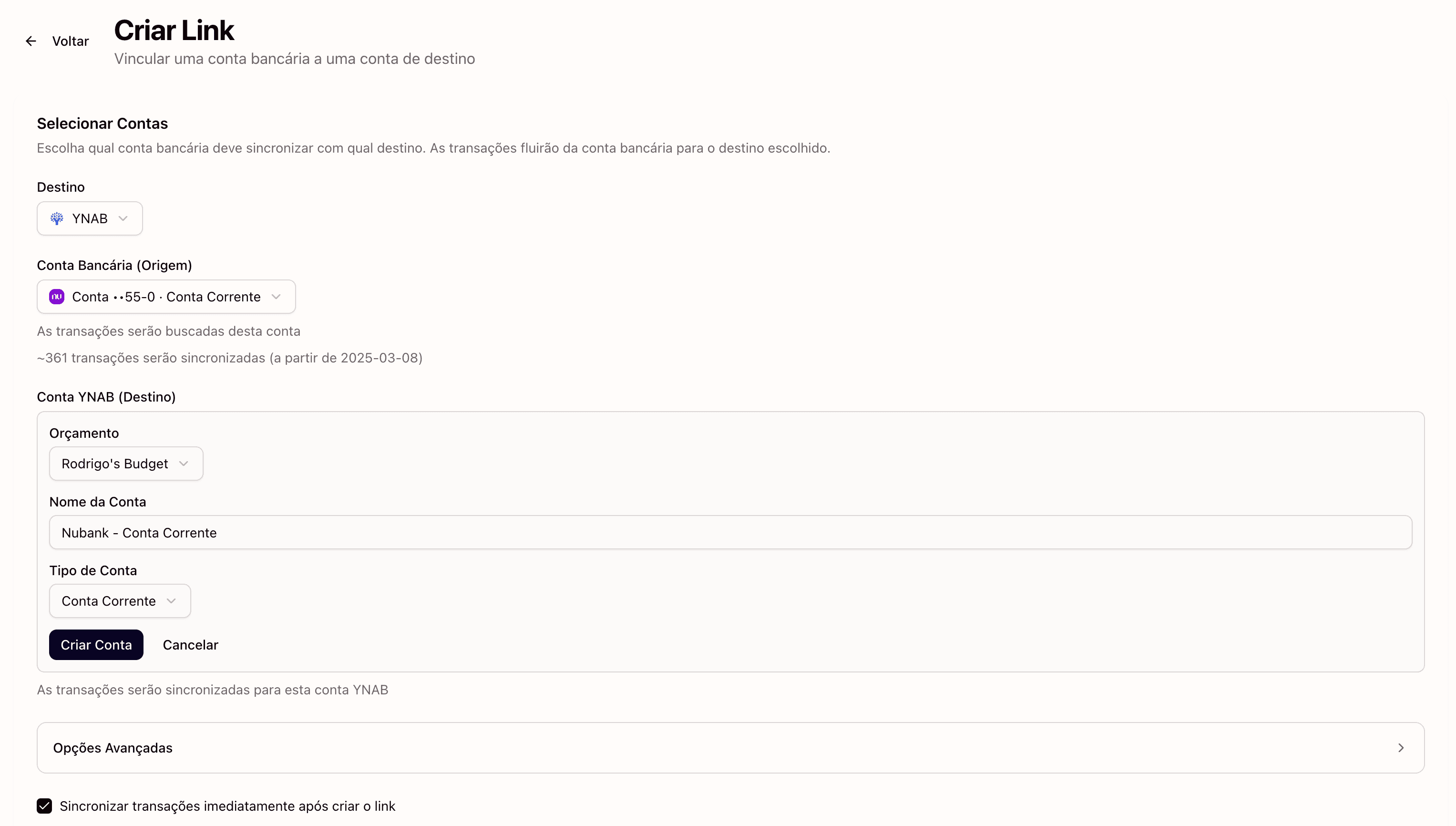
Link each Bradesco product to a YNAB account. A typical mapping looks like this:
- Bradesco checking account → YNAB "Bradesco Checking" (type: Checking)
- Bradesco savings → YNAB "Bradesco Savings" (type: Savings)
- Bradesco Visa credit card → YNAB "Bradesco Visa" (type: Credit Card)
If you have multiple Bradesco credit cards on different networks, you can create a separate YNAB account for each or consolidate them. It depends on how granular you want your tracking to be.
Step 4: Automatic Sync
Once configured, Manio polls your Bradesco data on a regular schedule and pushes new transactions to YNAB. No manual intervention required. You open YNAB and your Bradesco transactions are already there, ready to be categorised.

Bradesco Account Types in YNAB
Bradesco offers several products that can be synced through Open Finance:
- Conta corrente (checking): Pix transfers, TEDs, bill payments, debit card purchases, and direct debits all appear here.
- Poupança (savings): If you use Bradesco's savings account as an emergency fund, tracking it in YNAB gives you a complete picture of your net worth.
- Cartão de crédito (credit card): YNAB has excellent credit card handling. it automatically sets aside money to pay your bill as you spend. This works seamlessly with Bradesco credit cards of any network.
What Gets Synced
- Amount in BRL: exact values, no rounding
- Date: settlement date as reported by the Open Finance API
- Payee/merchant name: cleaned by Manio for readability
- Transaction type: debit purchase, Pix, bill payment, credit card instalment, TED, etc.
A significant advantage over CSV exports: the Open Finance API provides consistently formatted data. No more debugging character encoding or date format inconsistencies.
Duplicate Prevention
Every transaction from the Open Finance API carries a unique identifier. Manio tracks every ID that has been sent to YNAB and never sends the same one twice, even if you trigger a manual re-sync. This eliminates the duplicate problem that plagues manual CSV imports, where overlapping date ranges result in repeated entries.
Manio vs. Manual Bradesco Imports
Before Manio, YNAB users with Bradesco accounts had limited options:
- Manual entry: typing each transaction into YNAB by hand. Accurate but unsustainable beyond a few weeks.
- CSV/OFX export: navigating Bradesco's slow internet banking, downloading files, fixing encoding issues, importing into YNAB, and resolving duplicates. At least 30 minutes per session.
- Brazilian finance apps (Organizze, Mobills): good tools with bank integration, but they use different budgeting methodologies. None offer YNAB's zero-based envelope system.
If YNAB's methodology is what you want, Manio is the most reliable way to automate it with Bradesco.
Works with Other Banks Too
If you have accounts at multiple Brazilian banks, you can connect them all to Manio and map each to a separate YNAB account within the same budget. See also how to sync Nubank, Itau, and Inter to YNAB. For more on this, see does YNAB work with Brazilian banks.
If you also want to track your Bradesco finances in a spreadsheet, check out how to sync Bradesco to Google Sheets. And for a deep dive into the trade-offs of manual vs. automatic imports, read our manual vs. automatic YNAB import comparison.
Frequently Asked Questions
Does Manio have access to my Bradesco password?
No. The authorisation happens entirely on Bradesco's servers through the official Open Finance consent screen. Manio receives a temporary read-only token. Your password is never shared.
Can I sync my Bradesco savings account (poupança)?
Yes. When authorising Open Finance on Bradesco, you can include your checking account, savings account, and credit cards. Each can be mapped to a separate YNAB account.
How much does Manio cost?
Manio's Trial plan includes 1 bank connection, daily sync, and 50 syncs. The Pro plan costs R$24.99/month (or R$239.88/year), with unlimited syncs, up to 4 banks, sync every 8 hours, full history, and AI categorization.
Can I revoke Manio's access to my Bradesco account?
Yes, at any time. Open the Bradesco app or internet banking, navigate to the Open Finance section, and revoke Manio's consent. Transactions already sent to YNAB remain, but no new data will be synced.
Does it work with Bradesco Elo and American Express cards?
Yes. Bradesco's Open Finance integration includes all credit cards tied to your account, regardless of the card network: Visa, Mastercard, Elo, or American Express.