Manual vs Automatic YNAB Import: Stop Wasting Time
If you use YNAB with a Brazilian bank account, you have probably gone through the ritual: log into internet banking, find the export button, download a CSV or OFX file, open YNAB, drag the file in, fix any errors, check for duplicates, and repeat every few days. It works, but it is exhausting, and there is a better way.

The Manual Import Process
Manual import into YNAB typically involves these steps for Brazilian bank users:
- Log into your bank's internet banking portal (separate login from your mobile app)
- Navigate to the statement or transactions section
- Select a date range, ideally the last few days since your last import
- Export in OFX or CSV format (not all banks offer both)
- Open YNAB and go to your account
- Drag and drop the file into YNAB's import dialog
- Review the imported transactions for errors or mismatches
- Mark any duplicates that crept in because of overlapping date ranges
- Repeat for every bank account and credit card you track in YNAB
If you have two bank accounts and a credit card, that is three separate export-import cycles. Do it twice a week and you are spending 30–60 minutes a month on pure data entry.
Problems with Manual Import
Inconsistent File Formats
Brazilian banks are notoriously inconsistent with their export formats. Some export OFX files that YNAB accepts perfectly. Others export CSV files with non-standard column names, wrong date formats, or character encoding issues that cause imports to fail or mangle merchant names.
Duplicate Transactions
If you select overlapping date ranges, which is easy to do, you can end up with the same transaction imported twice. YNAB has some duplicate detection, but it is not foolproof. Cleaning up duplicates wastes more of your time.
Gaps in History
If you go on holiday or forget to import for two weeks, you come back to a large backlog. Catching up requires downloading multiple overlapping date ranges and carefully merging them. It is easy to miss transactions.
Banking Portal Availability
Brazilian internet banking portals are not always reliable. Maintenance windows, login issues, and export bugs have all caused YNAB users to lose a day of tracking simply because the bank's website was not cooperating.
The Automatic Import Process with Manio
With Manio's YNAB integration, the entire workflow changes:
- You authorise Manio once through your bank's Open Finance consent screen
- You connect your YNAB account via OAuth
- You map which bank accounts feed into which YNAB accounts
- Done. Manio handles everything from this point forward
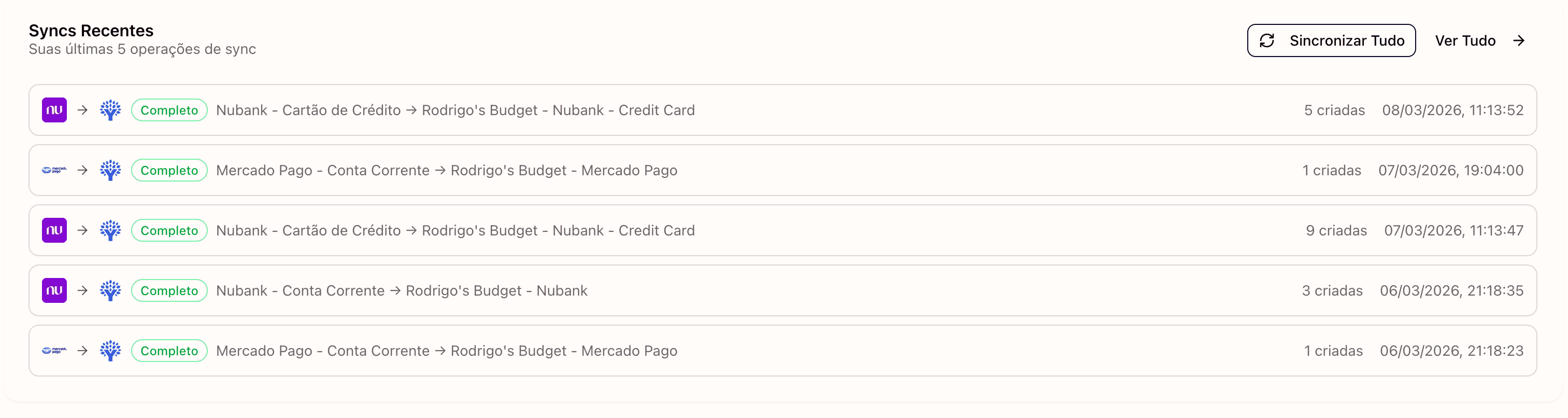
Transactions appear in YNAB automatically. You open your budget, categorise the new transactions, and move on. No exports, no file handling, no duplicate checks.
Time Saved: The Real Numbers
Let's estimate conservatively. If you have 2 bank accounts and 1 credit card, and you import transactions twice a week:
- Manual: ~5 minutes per account × 3 accounts × 2 times/week × 52 weeks = ~26 hours per year
- Automatic with Manio: ~10 minutes initial setup + 0 minutes ongoing
Even at the most conservative estimate, automation saves you more than a full day of work every year. And that ignores the cognitive overhead of remembering to do it, fixing errors, and resolving duplicates.

Data Quality Comparison
Manual Import
- Dependent on bank's export format quality
- Merchant names often truncated or garbled
- Possible gaps if you forget to import
- Risk of duplicates from overlapping date ranges
Automatic Sync via Open Finance
- Standardised data from the Open Finance Brasil API
- Manio applies merchant name cleaning before sending to YNAB
- No gaps. Manio fetches transactions on schedule even when you are not thinking about it
- Duplicate prevention built in at the API level
What About Security?
Manual import is actually riskier in one sense: you are downloading sensitive financial files to your local computer, where they might be cached in downloads folders, uploaded to cloud storage automatically, or accessed by other apps. With Open Finance, data travels directly from your bank's API to YNAB without ever touching a local file.
Read more about how the YNAB integration handles security and what data Manio can and cannot access. For an in-depth look at data protection, see our guide on Open Finance security.
The Verdict
Manual import was a reasonable workaround when nothing better existed. Now that Open Finance Brasil is live and Manio provides automatic sync, there is no reason to continue the manual routine. Setup takes less than 5 minutes, and you never have to think about it again. You can start on the Trial plan with 1 bank, daily sync, and 50 syncs included. To connect more banks, get unlimited syncs, or sync every 8 hours, the Pro plan is R$24.99/month (or R$239.88/year).
For step-by-step setup guides with a specific bank, see how to sync Nubank, Itau, Bradesco, and Inter to YNAB. And for a broader overview, read does YNAB work with Brazilian banks.