How to Sync Nubank to YNAB Automatically
Nubank is Brazil's largest digital bank, used by more than 90 million people. YNAB (You Need A Budget) is one of the most effective personal finance tools in the world. Put them together and you get a powerful combination: automatic transaction sync paired with a zero-based budgeting methodology that genuinely changes spending behaviour. The problem? YNAB was built for the US and UK markets, and Nubank has no native YNAB integration. This article explains exactly how to bridge that gap.

Why YNAB Doesn't Connect to Nubank Out of the Box
YNAB's direct import feature relies on partnerships with banks in North America and Europe. Brazilian financial institutions use a different authentication infrastructure, built on top of the Open Finance Brasil standard, a regulatory framework that gives customers the right to share their financial data with authorised third-party providers.
Nubank participates in Open Finance Brasil, which means it is technically possible to access your transaction data programmatically. You just need the right middleware, and that middleware is Manio. Want to understand how Open Finance protects your data? Read our guide on Open Finance security.
How the Sync Actually Works
Manio connects to Nubank through the official Open Finance Brasil API using your consent. No screen scraping, no sharing your banking password. When you authorise the connection, Nubank issues an access token that lets Manio read your transactions. Manio then maps those transactions to a YNAB account and pushes them automatically.
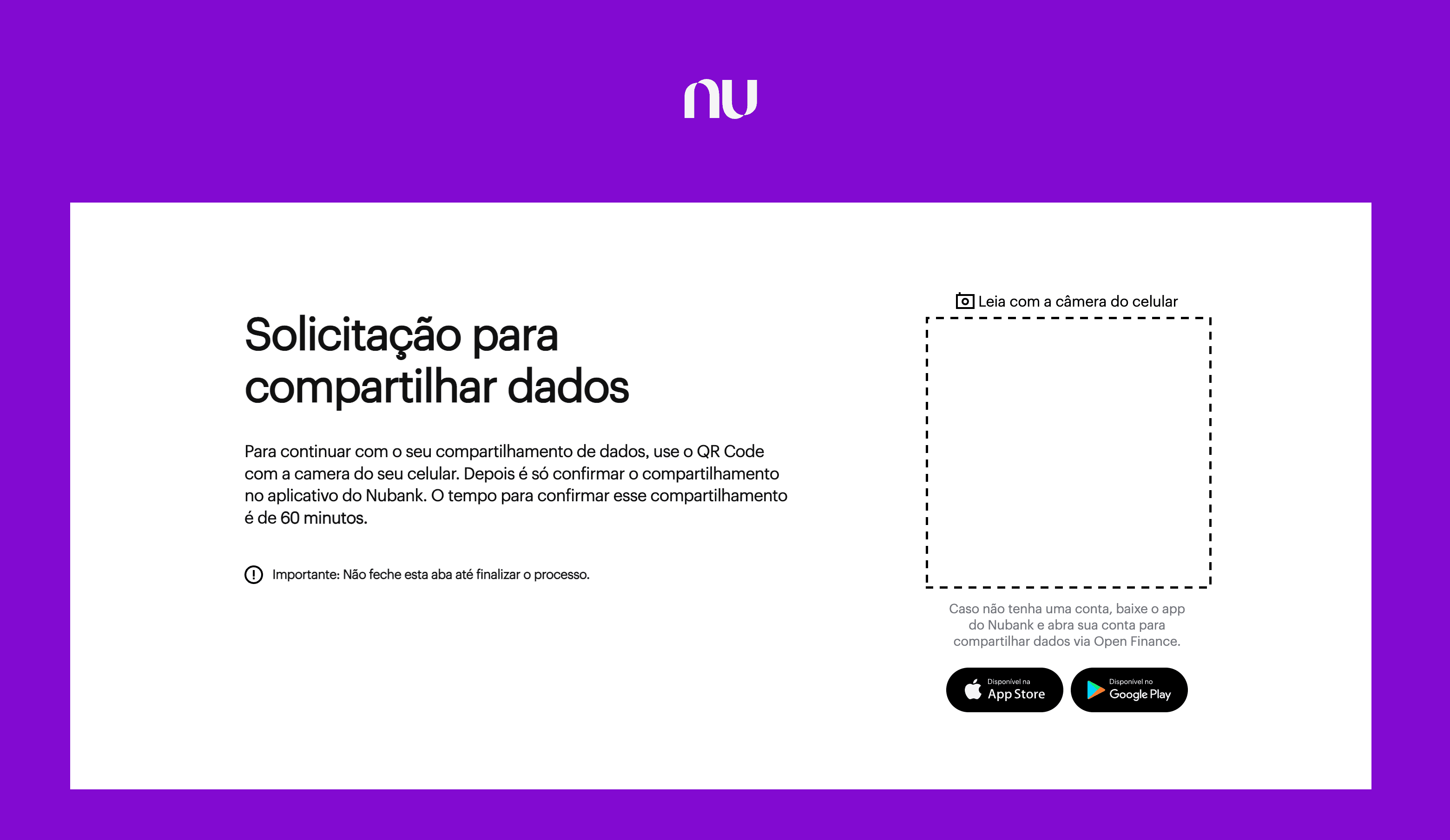
Step 1: Connect Nubank via Open Finance
During setup, Manio redirects you to Nubank's official Open Finance consent screen. You log in with your Nubank credentials directly on Nubank's servers. Manio never sees your password. You choose which accounts to share and approve the data-sharing consent.
Step 2: Authorise YNAB
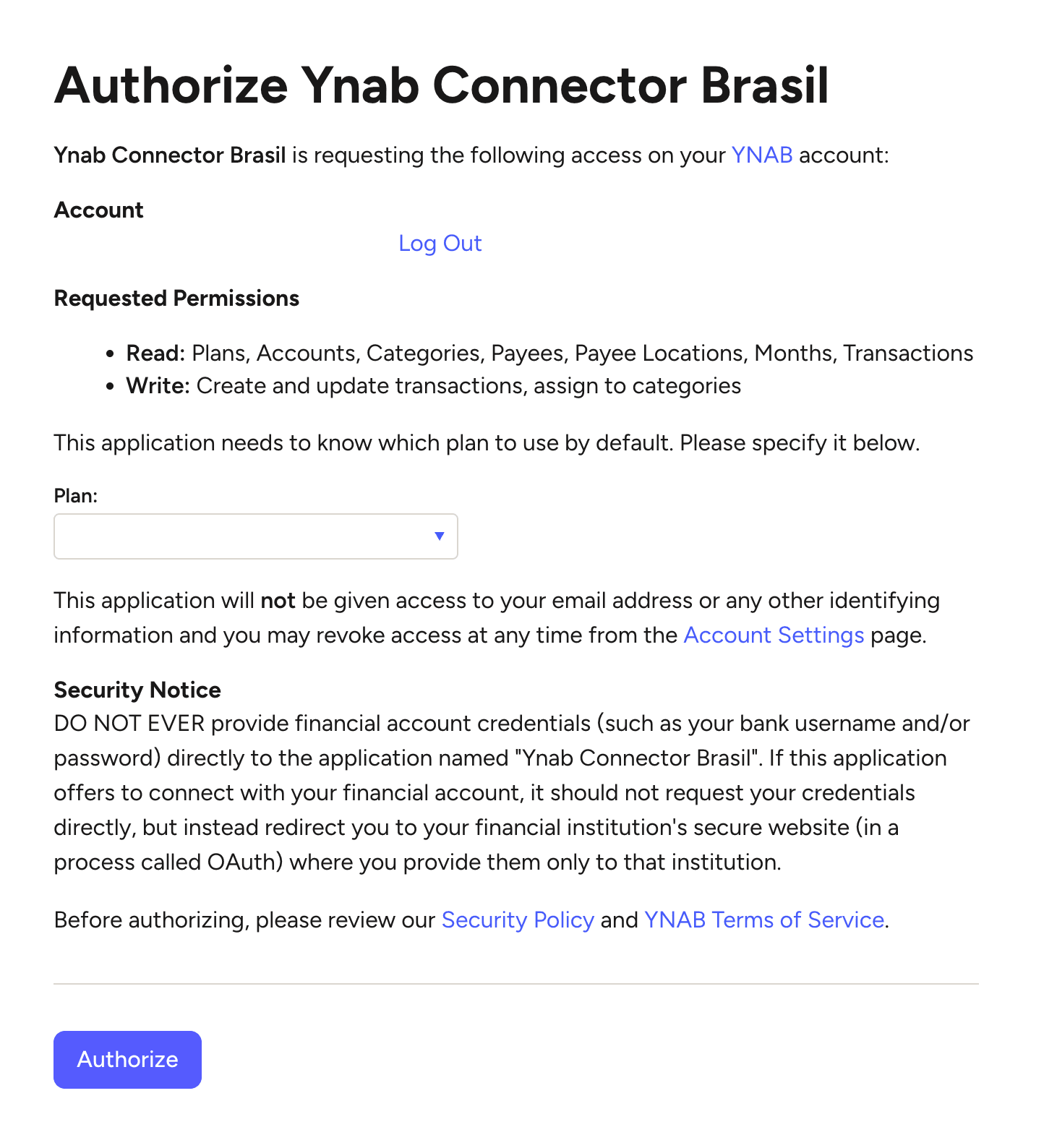
Next you connect your YNAB account via Manio's YNAB integration. Manio uses YNAB's official OAuth flow, so you log in directly on YNAB's servers. Once authorised, Manio can see your YNAB budgets and accounts.
Step 3: Map Accounts
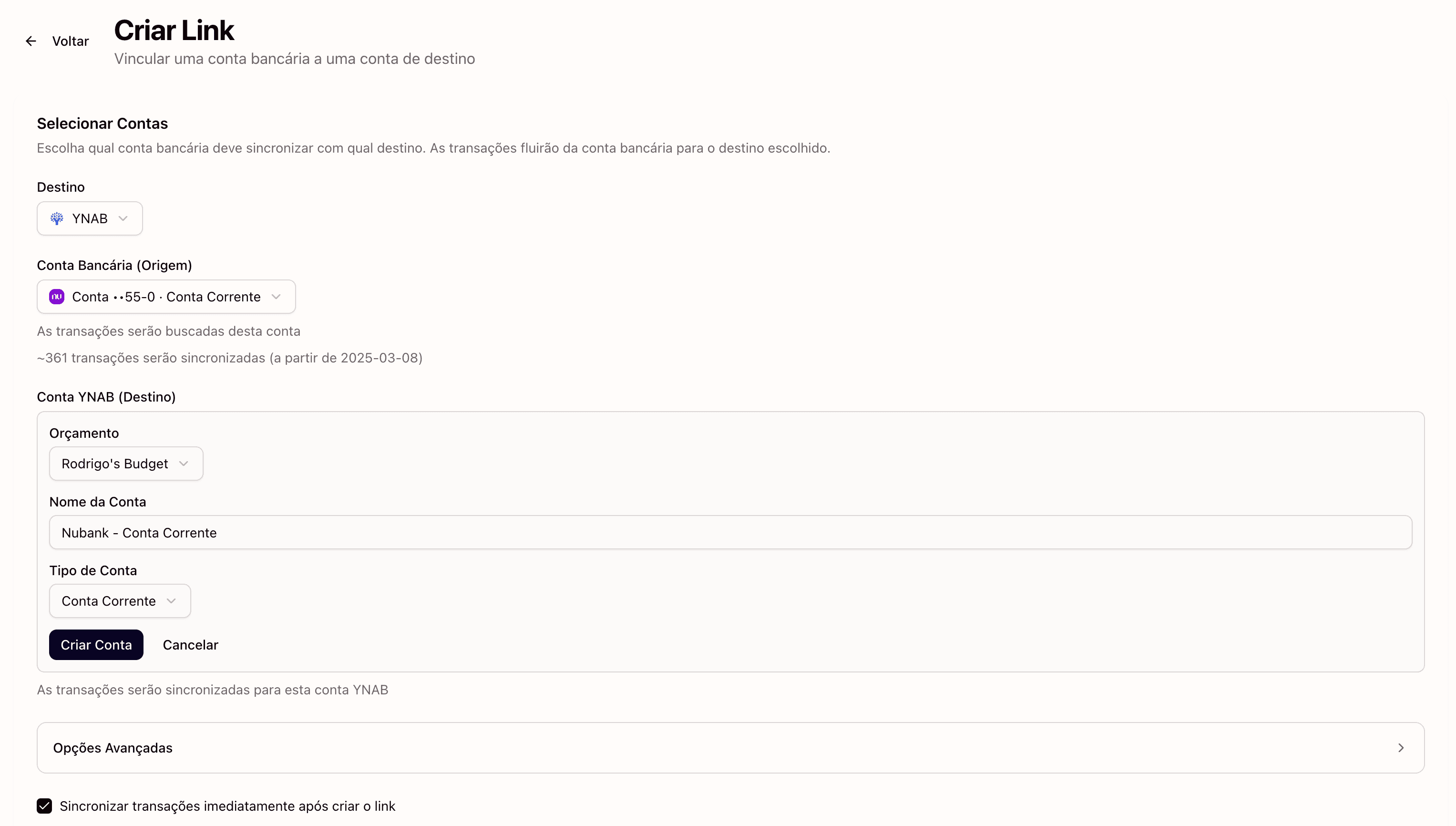
You choose which Nubank account maps to which YNAB account. You can link your Nubank checking account to a YNAB "Nubank Conta" account, and your Nubank credit card to a separate YNAB credit card account. Manio handles the BRL currency automatically.
Step 4: Automatic Sync Runs
From this point on, Manio polls your Nubank data and pushes new transactions to YNAB on a regular schedule. You open YNAB and your transactions are already there. No CSV exports, no manual entry.

What Gets Synced
- Debit transactions: purchases, Pix transfers, TED/DOC, and bill payments from your Nubank conta.
- Credit card charges: individual line items from your Nubank credit card.
- Payee names: Manio passes the merchant name so YNAB's payee matching can learn your habits.
- Transaction dates: the settlement date as reported by Open Finance Brasil.
- Amounts in BRL: displayed in your YNAB budget's currency.
Duplicate Prevention
One of the most common frustrations with manual CSV import is accidentally importing the same transaction twice. Manio tracks every transaction ID from the Open Finance API and checks it against what has already been sent to YNAB. Duplicates are never sent, even if you trigger a manual re-sync.
Setting Up a YNAB Budget for Brazilian Expenses
If you are new to YNAB and based in Brazil, create your budget in BRL. Create a dedicated account for each Nubank product you want to track, one for conta corrente and one for cartão de crédito. Set up budget categories that match Brazilian spending: aluguel, supermercado, transporte, streaming, and so on.
Once your YNAB integration is live and transactions are flowing in, YNAB's "Assign" workflow lets you allocate every real to a purpose. That is the core of zero-based budgeting.
Does Manio Work with Other Brazilian Banks?
Yes. Manio supports all banks that participate in Open Finance Brasil, including Itaú, Bradesco, Santander, Banco do Brasil, Caixa, Inter, C6 Bank, and many others. If you want to track all your Brazilian accounts in YNAB, you can connect multiple banks and map each to a separate YNAB account. See also how to sync Itau, Bradesco, and Inter to YNAB.
Frequently Asked Questions
How much does Manio cost?
Manio's Trial plan includes 1 bank connection, daily sync, and 50 syncs. The Pro plan costs R$24.99/month (or R$239.88/year), with unlimited syncs, up to 4 banks, sync every 8 hours, full history, and AI categorization.
Is it safe to connect Nubank to YNAB through Manio?
Yes. Manio never sees your Nubank password. The connection is established through Nubank's official Open Finance consent screen. You can revoke access at any time from within the Nubank app under Settings → Open Finance → Consents.
How long does the initial sync take?
On the Pro plan, the initial sync imports all the history the bank makes available via Open Finance (typically around 12 months). On the Trial plan, the first sync covers up to 30 days. Either way, it usually completes within a few minutes. Subsequent syncs are incremental and run automatically.
If you also want to track your Nubank finances in a spreadsheet, check out how to sync Nubank to Google Sheets. Prefer Notion? See how to sync Nubank to Notion. And for a comparison of manual vs automatic approaches, read our manual vs automatic YNAB import comparison.